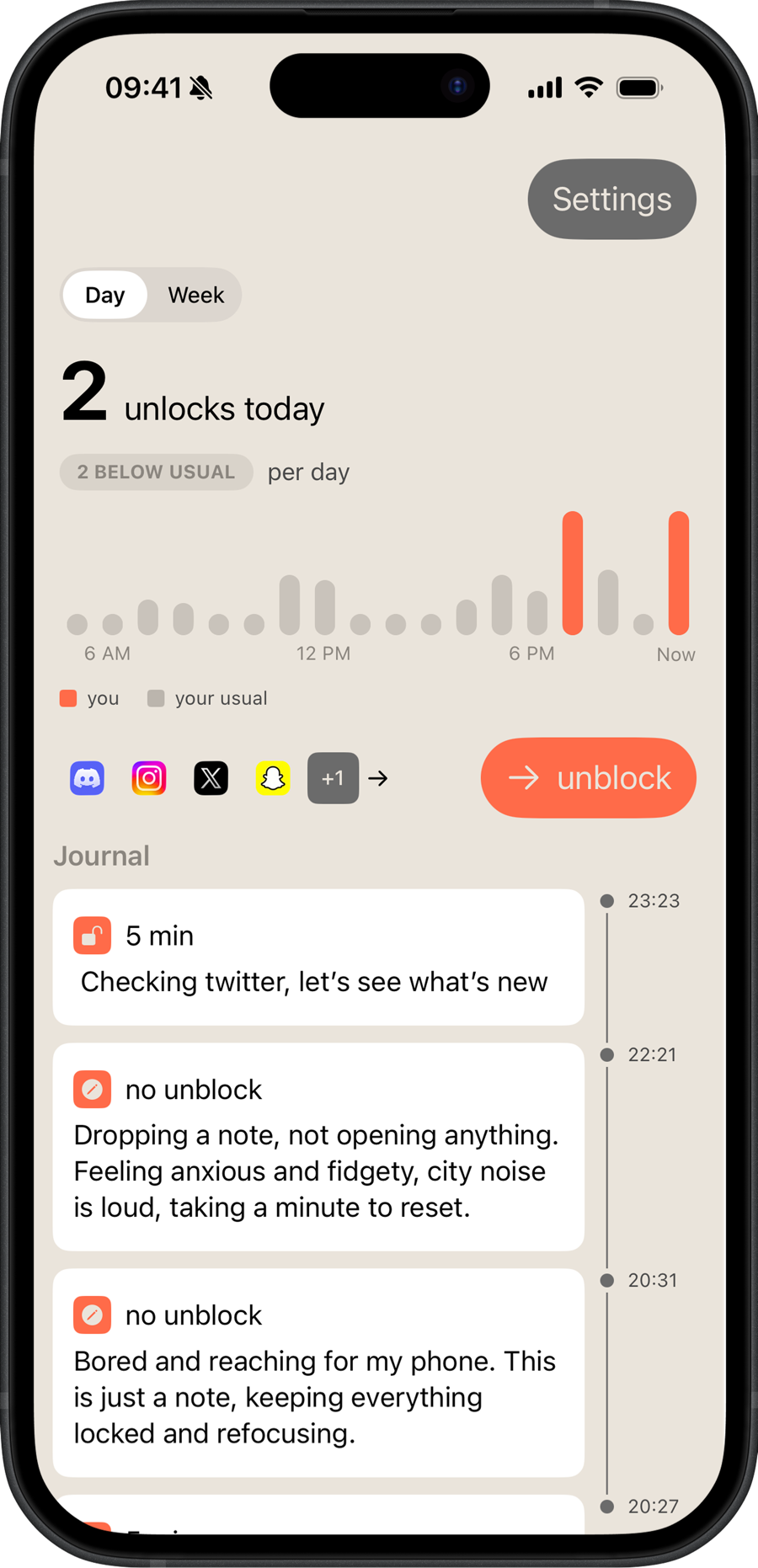
5 min
Checking twitter, let’s see what’s new.
An app blocker for iPhone that asks why. To open a paused app, write a line about how you’re feeling. Then it’s yours for a few minutes.
 Free to download
Often the note is enough. You put the phone down without opening anything.
Your notes add up to a quiet record of what pulls you in, and when. Look back and the patterns are hard to miss.
A small daily budget of quick unlocks for when there’s no time to write.
A holiday, a long weekend. Pause blocking until midnight, a few times a month.
A Live Activity shows how long you have left, so time doesn’t slip by.
Yes. Blocking apps and journaling to unlock are free. Plus adds days off, more daily passes and reflections on your notes. Prices show in the App Store, in your currency.
Use a pass. It unlocks without a note, from a small daily budget you set. When passes run out, the note comes back.
No. Apple’s Screen Time framework hides the apps and websites you pick from developers. Usage stats are drawn by iOS inside the app and never reach us.
On your iPhone, in the app. There’s no account and no sync. Reflections are written by Apple’s on-device model, so notes never leave the phone.
Yes. Pick apps, whole categories or single websites.
Free to download for iPhone.